Importing Fireflies.ai Meetings into Ping
Feb 5, 2026
This guide walks you through how to backfill your existing Fireflies.ai meeting transcripts into Ping, allowing you to take advantage of Ping's AI-powered insights on your historical meetings.
Overview
If you've been using Fireflies.ai to record and transcribe your meetings, you can import that data into Ping. Once imported, Ping will process each meeting just like a native Ping recording—generating summaries, extracting action items, and automatically associating meetings with the appropriate client.
Prerequisites
Before importing, ensure you have the following:
A Fireflies.ai Paid Plan: API access is available on Pro, Business, or Enterprise plans. Free accounts do not have API access.
Fireflies.ai API Key: You can generate this in your Fireflies dashboard.
Ping Account Access: The import feature must be enabled for your account. If you don't see the "Data Import" option, contact support@pingassistant.com.
Step-by-Step Import Guide
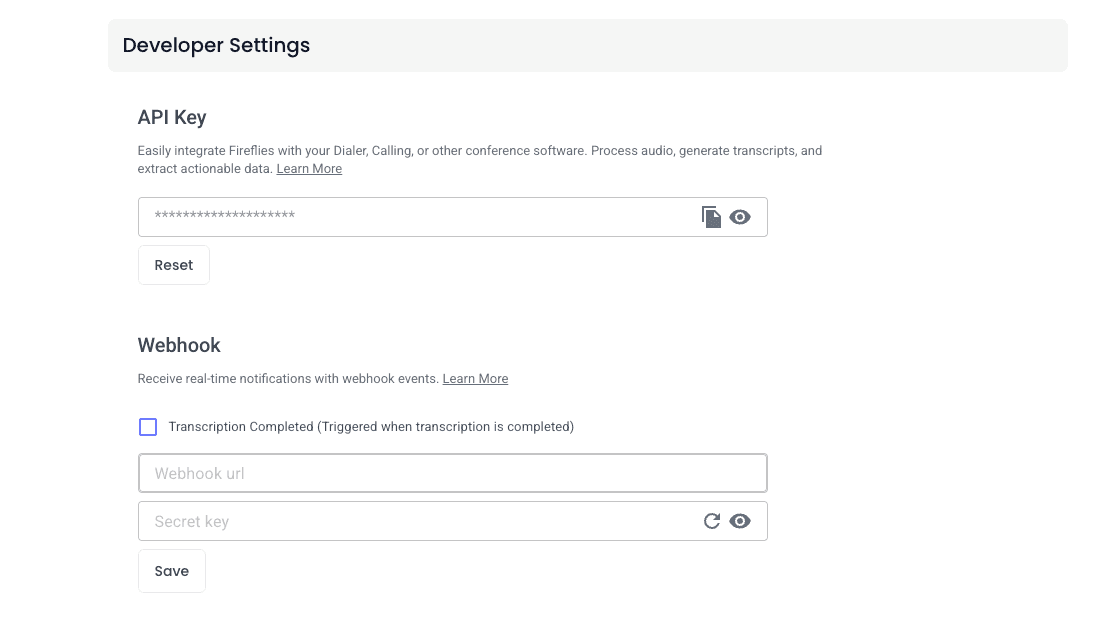
Step 1: Generate Your Fireflies.ai API Key
Log in to your Fireflies.ai account.
Navigate to Settings > Developer Settings (or go to Integrations and search for Fireflies API).
Click Generate API Key (or copy your existing key).
Save this key securely—you will need it in the next steps.
Step 2: Navigate to Data Import Settings
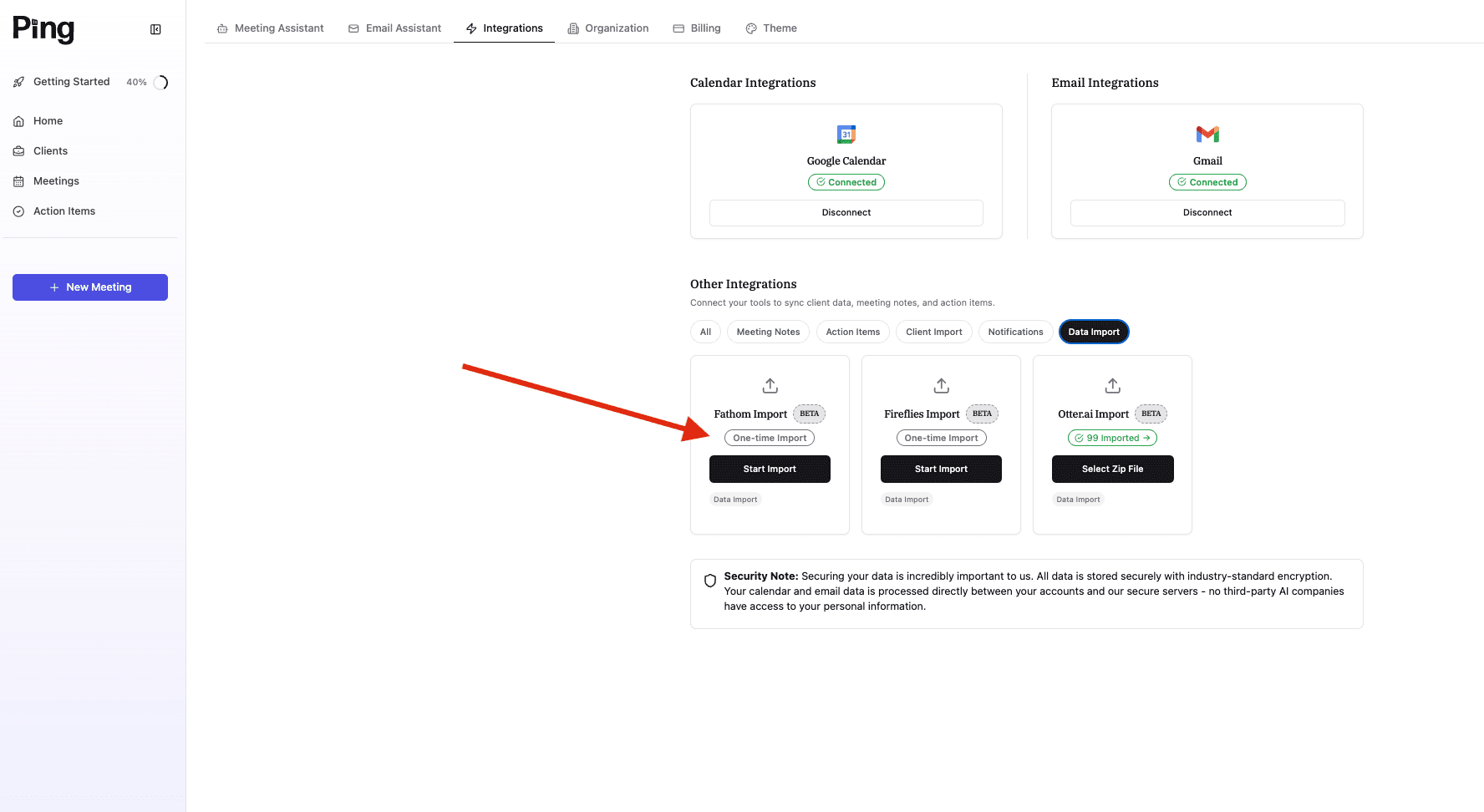
Open your Ping dashboard.
Go to Settings > Integrations > Data Import.
Step 3: Connect Your Fireflies.ai Account
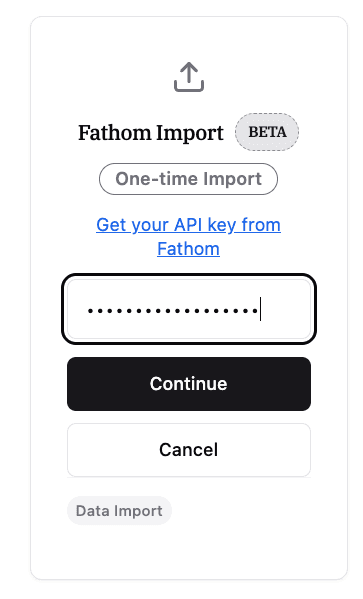
Click on the Fireflies.ai integration option.
Enter your Fireflies.ai API key when prompted.
Click Continue to verify your API key.
Step 4: Select Meetings to Import
Once validated, Ping will fetch a list of all available meetings from your Fireflies.ai account. You will see:
Meeting title
Date and time
Participants
Import Status: Meetings already in Ping will be marked with a green "Imported" badge.
Use the checkboxes to select specific meetings, or use Select All to backfill your entire history.
Step 5: Start the Import
Click Import [X] Meetings to begin. The import happens in the background, so you can safely close the modal or navigate away while Ping processes the data.
How Client Matching Works
Ping uses Client Memory to organize your meetings automatically:
Ping extracts participant emails from the Fireflies meeting data.
These emails are compared against your Client Contacts in Ping.
When a match is found, the meeting is automatically linked to that client’s timeline.
Tip: Ensure your client records in Ping have accurate email addresses before importing for the best results.
Important Considerations
Processing Time
Backfilled meetings are processed with lower priority than live meetings to ensure real-time recordings are never delayed. Large imports (hundreds of meetings) may take several hours to complete.
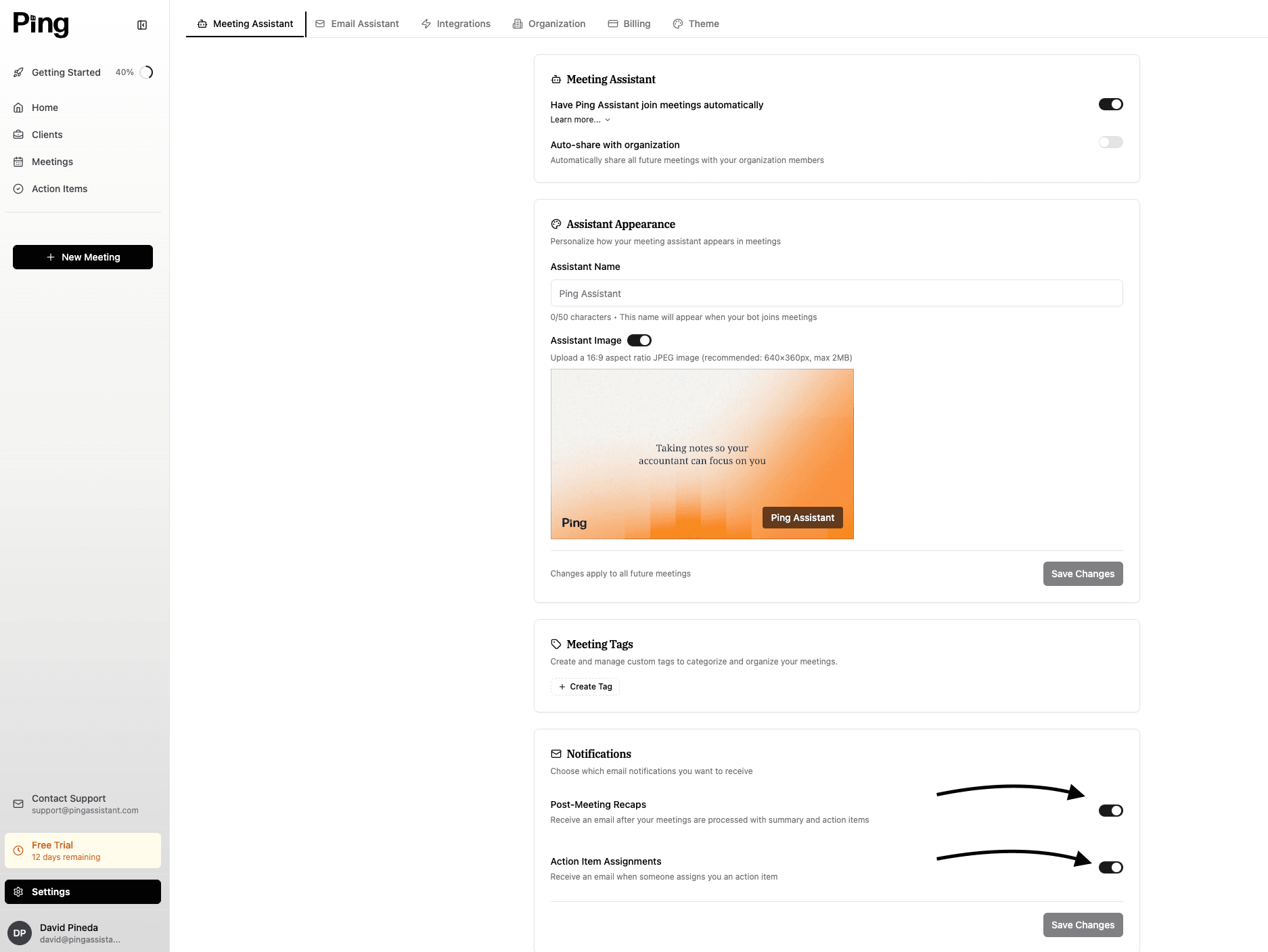
Email Notifications
Troubleshooting
Error / Issue | Solution |
"Invalid API Key" | Ensure there are no leading/trailing spaces. Verify your Fireflies plan is Pro or higher. |
Meetings Missing | Fireflies must finish transcribing a meeting before Ping can "see" it. Check your Fireflies Notebook. |
Failed Imports | This usually happens with meetings that have no transcript or were deleted in Fireflies. You can retry failed imports individually. |
No "Imported" Badge | Ping prevents duplicates based on the unique Fireflies ID. If you see a duplicate, it may be because the same meeting was manually uploaded to both platforms in the past. |
Need Help?
If you encounter issues or have questions about your specific data, reach out to our support team at support@pingassistant.com.
Would you like me to help you draft the announcement email for your users about this new feature?