How to use FAQ in Email Assistant
Mar 6, 2026
What is the FAQ Feature?
The FAQ feature is your firm's knowledge base for email responses. When you add frequently asked questions and their answers, Ping's AI uses them as reference when drafting email replies—ensuring your responses are consistent, accurate, and aligned with your firm's standard answers.
Why Use FAQs?
How to Access FAQs
Click Settings in the left sidebar.
Scroll down to the FAQs section.
[IMAGE: Settings sidebar highlighting the FAQs section]
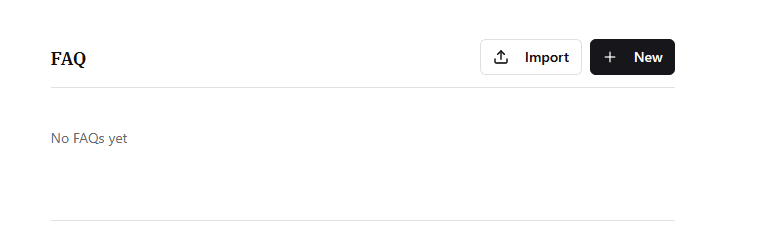
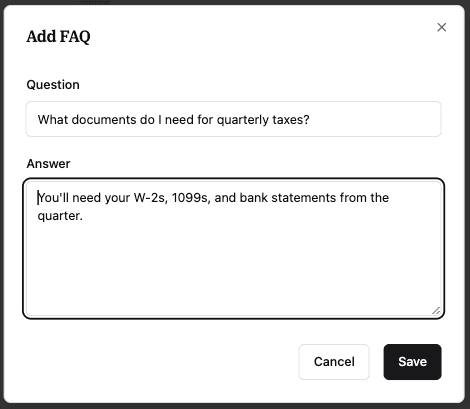
Adding a New FAQ
Click Add FAQ.
Enter the Question (up to 500 characters).
Enter the Answer (up to 5,000 characters).
Click Save.
Editing or Deleting an FAQ
Find the FAQ in your list.
Click on it to open the edit modal.
Make your changes and click Save, or click Delete to remove it.
Bulk Import FAQs (CSV)
If you have many FAQs to add, you can import them all at once:
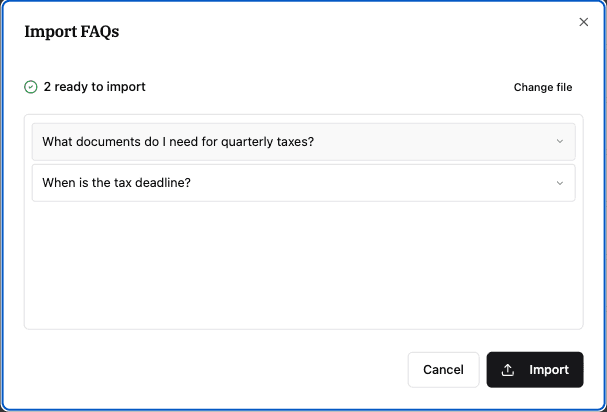
Click Import FAQs.
Download the CSV template to see the required format.
Fill in your questions and answers in the CSV file.
Drag and drop your file (or click to upload).
Review the preview — Ping will show you which entries are valid and flag any duplicates or errors.
Click Import to add all valid FAQs.
CSV Format Requirements
Paste this into a plain text editor or save a spreadsheet with these headers:
Code snippet
question,answer
"What is your cancellation policy?","Clients can cancel with 30 days notice."
"Do you offer payment plans?","Yes, we offer monthly payment plans for engagements over $5,000."
How the AI Uses Your FAQs
When Ping drafts an email reply, it automatically checks your FAQ knowledge base for relevant information. If a client asks a question you've already answered in your FAQs, the AI will reference that answer in the draft.
Note: You don't need to do anything extra—just keep your FAQs up to date, and Ping handles the rest.
Tips for Great FAQs
Be specific: "What are your office hours?" is better than "Hours?"
Keep answers complete: Include all the details someone would need.
Update regularly: Remove outdated info and add new common questions.
Think like a client: What do they ask you repeatedly via email?
Would you like me to rewrite the "Tips" section as a checklist so your team can mark them off as they audit their drafts?