
A meeting link is a bookable meeting type, such as a 30-minute intro call. You can have several, each with its own length, location, and rules. This article covers creating one. See the related articles for scheduling rules, booking questions, and notifications.
Create a meeting link
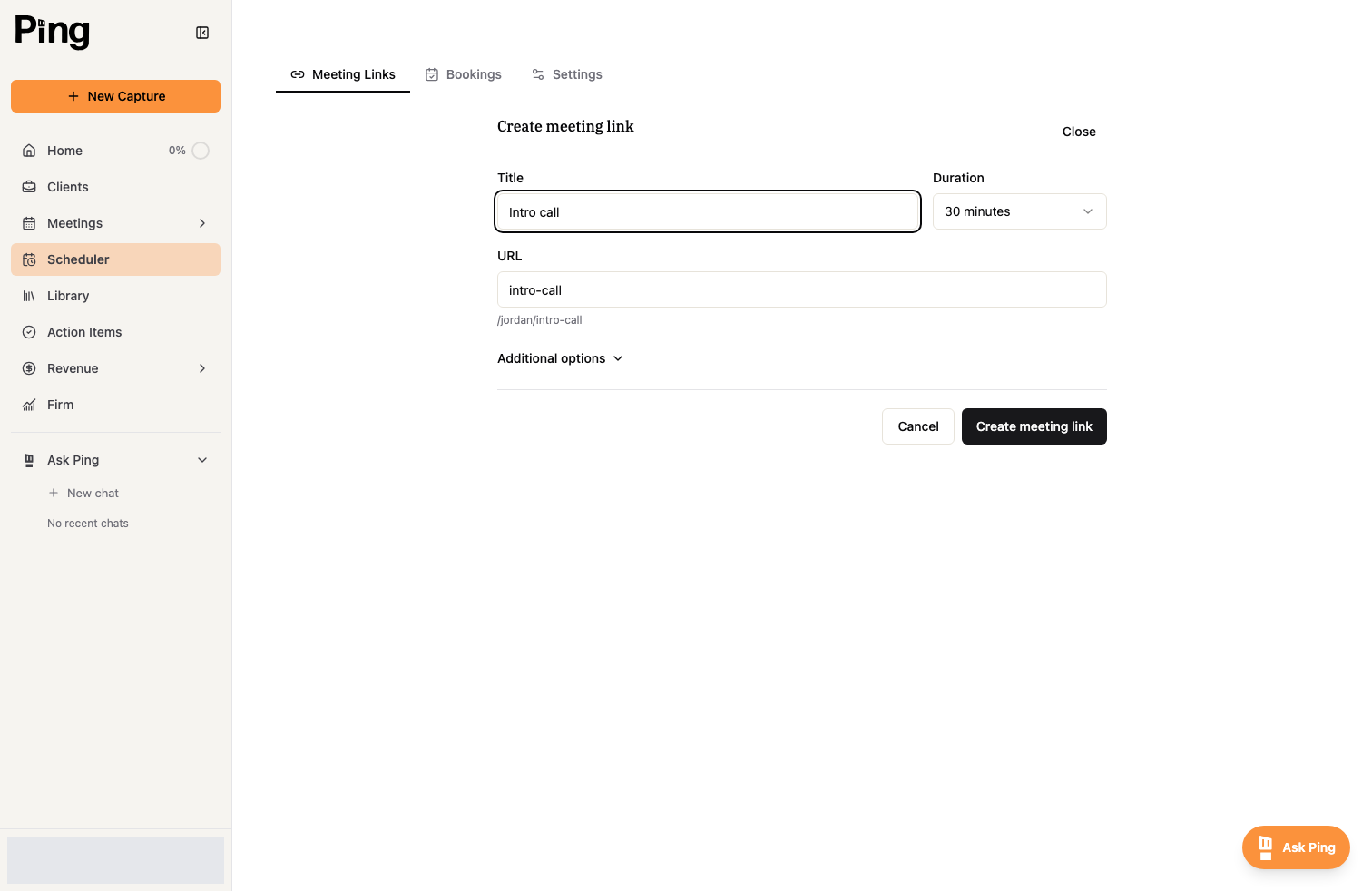
- Open the Scheduler and stay on the Meeting Links tab.
- Select Create meeting link.
- Give it a Title, choose a Duration, and set the URL people book at.
Choose where the meeting happens
Select Additional options, then under Meeting details set the Location.
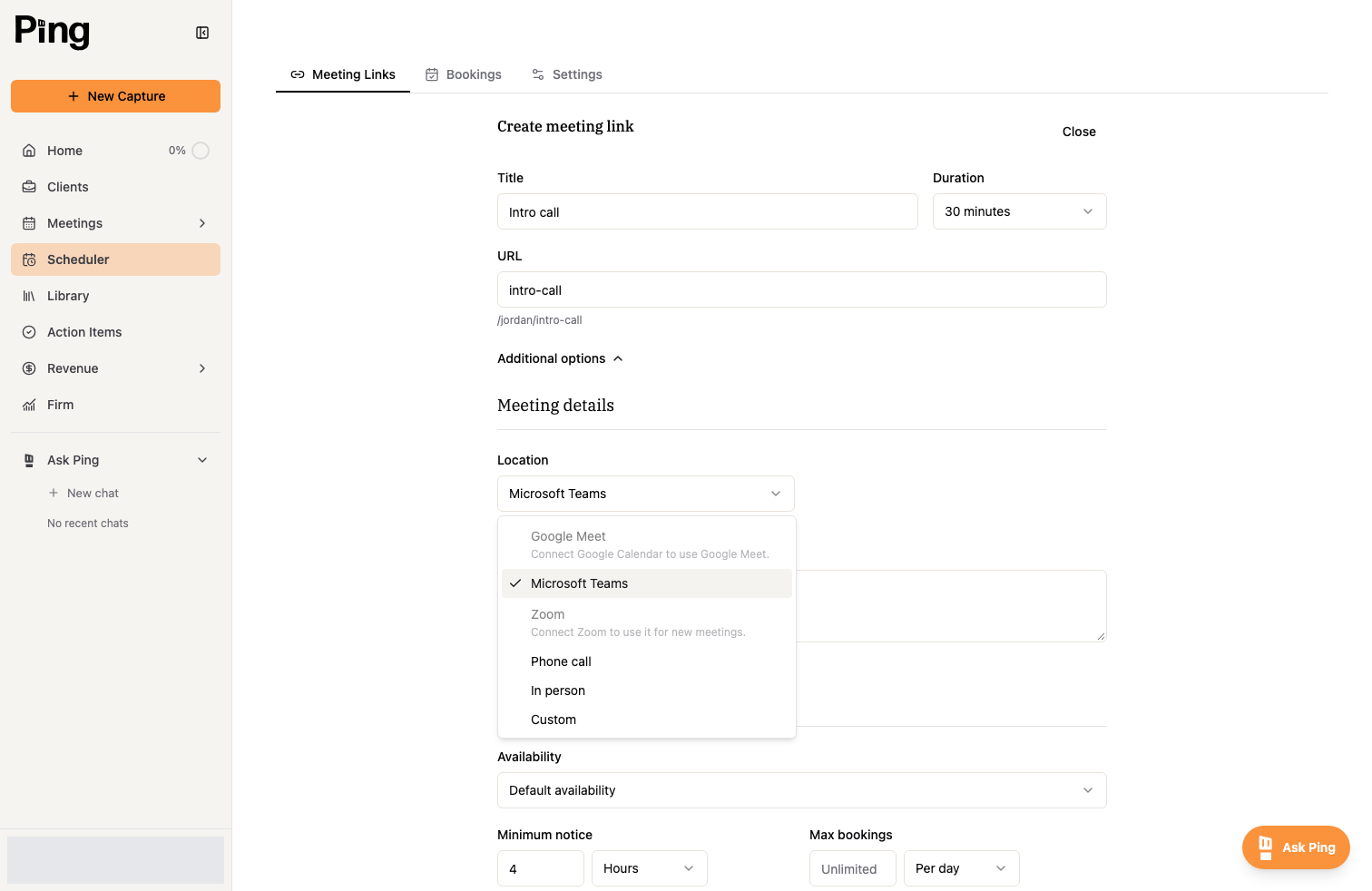
- Google Meet and Microsoft Teams appear once the matching calendar is connected: Google for Meet, Outlook for Teams.
- Zoom is available once you connect Zoom.
- You can also choose Phone call, In person, or a Custom location.
Manage your links
Back on the Meeting Links tab, each link has actions to copy it, embed it, edit it, pause it, or delete it. See Share, embed, and manage bookings for sharing.
Related articles
- Get Started with the Meeting Scheduler
- Scheduling rules, buffers, and booking limits
- Customize your booking form and notifications