
Scheduling rules control when and how often people can book a meeting link. You set them on each link, under Additional options.
Open scheduling rules
While creating or editing a meeting link, select Additional options, then find Scheduling rules.
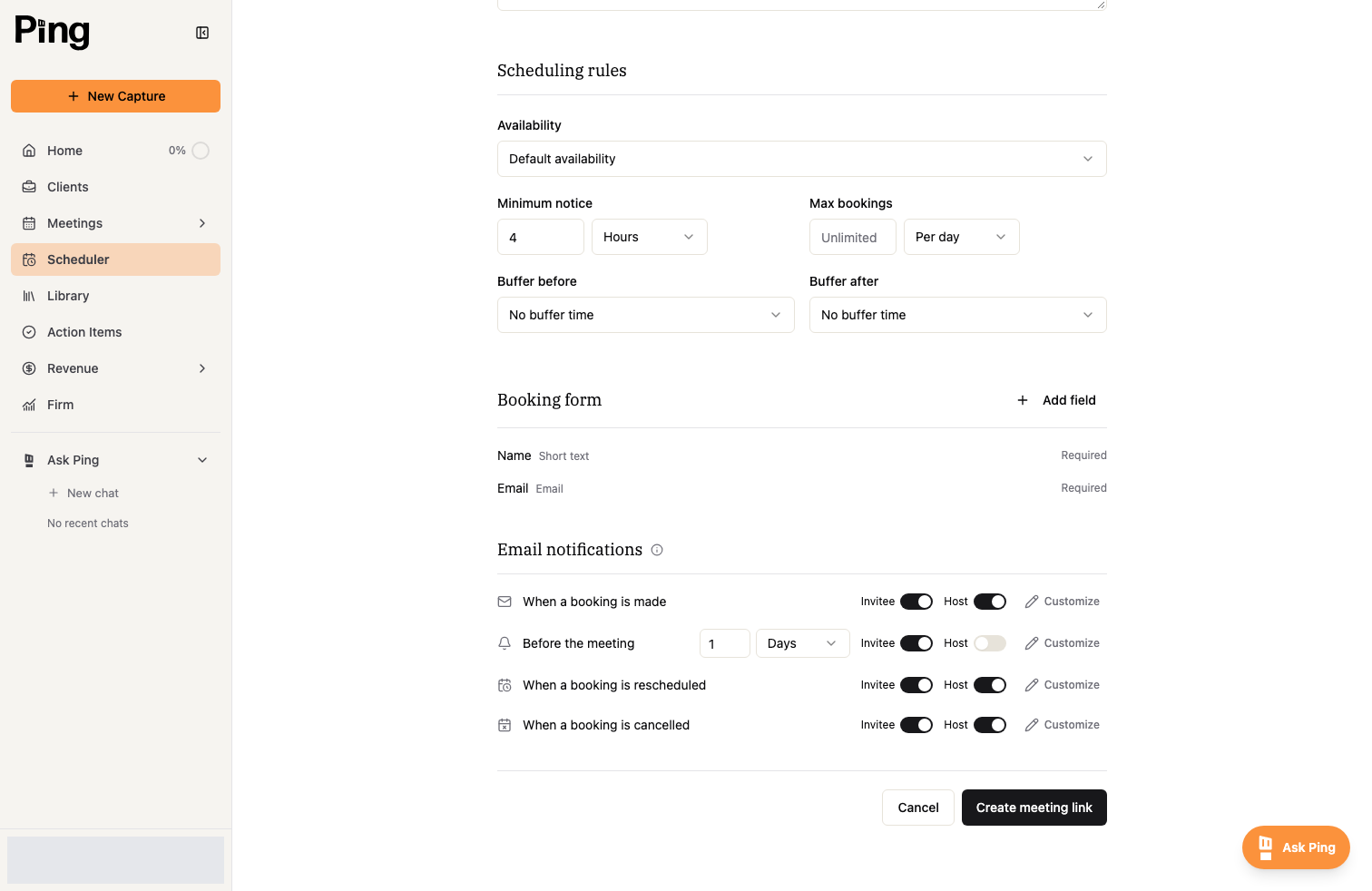
The rules you can set
- Availability picks which availability schedule this link uses. See Set your availability.
- Minimum notice is how far ahead someone must book, for example 4 hours. It prevents last-minute bookings.
- Max bookings caps how many times this link can be booked per day, week, or month.
- Buffer before and Buffer after add padding around each meeting so bookings do not land back to back.
Related articles
- Create and manage meeting links
- Set your availability